Quick Start
Power a light in five steps:
1 Buy a generator from the Traveling Trader (Power Systems tab). The Portable Generator is the cheapest start.
2 Place it inside your territory, fit a spark plug and fill it with gasoline.
3 Take your light or device in your hands and use Plug in on the generator. The outlet lamp turns green.
4 Switch the generator on, then switch the device on.
5 Watch the display: it shows the fuel time left. Next, add a battery pack to store power, or solar panels for free daytime power.
Basics
How power works on this server, and the current values of every tier. The numbers are read from the server when you open this manual.
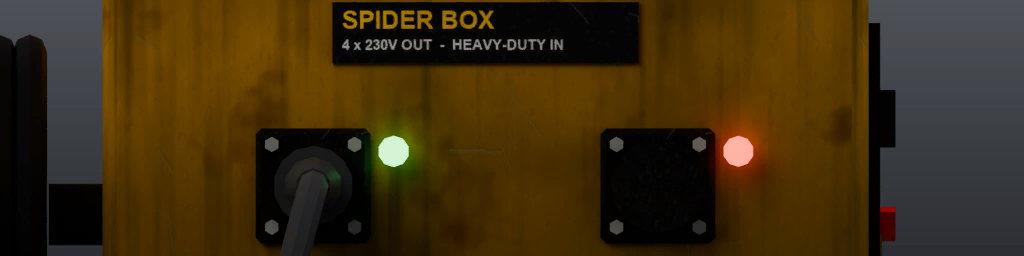
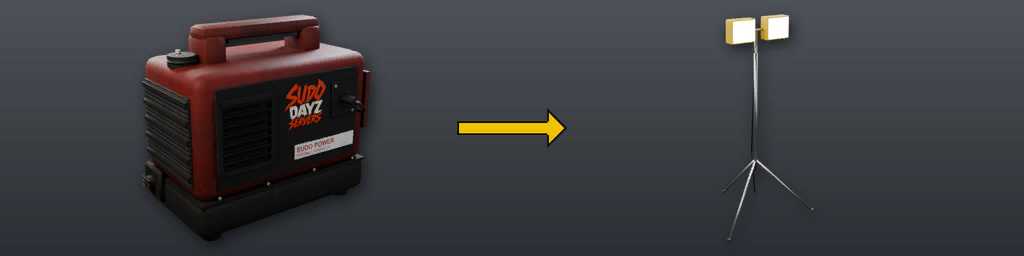
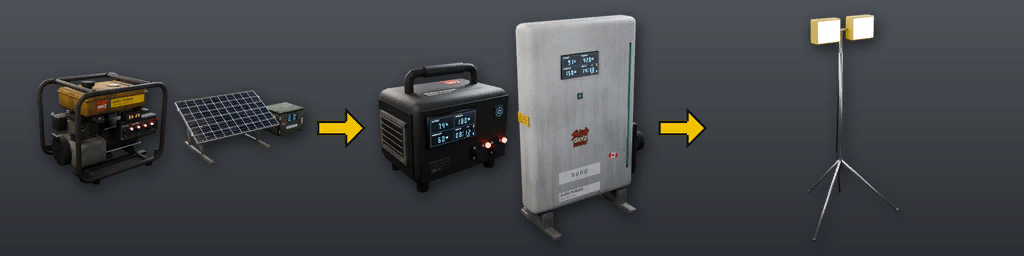
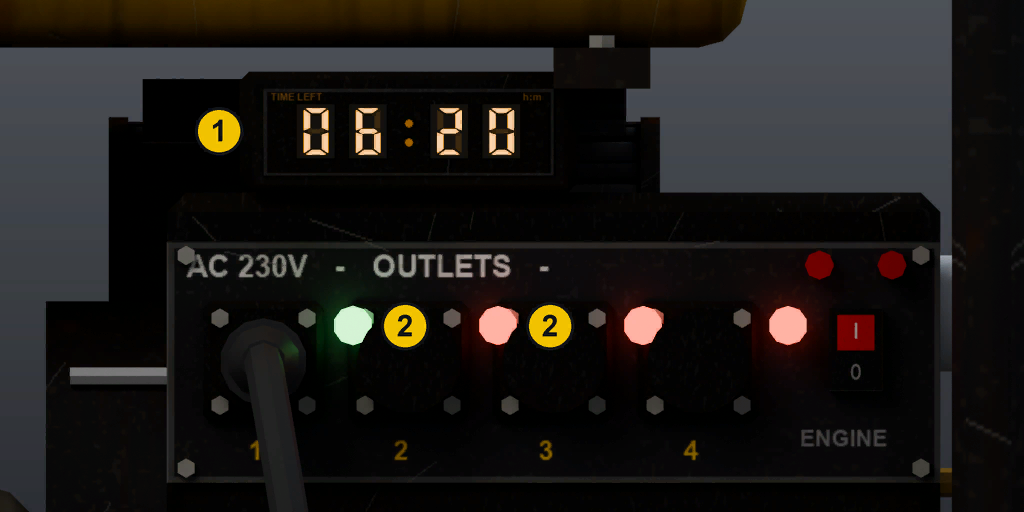
Generators and solar panels make power. Battery packs store it. Cable reels and the Spider Box carry it further. To connect a device, take its plug and use Plug in on a power source. Every outlet has a lamp: green means something is plugged in, red means it is free. A device runs when it is switched on and its source has power.
Generators
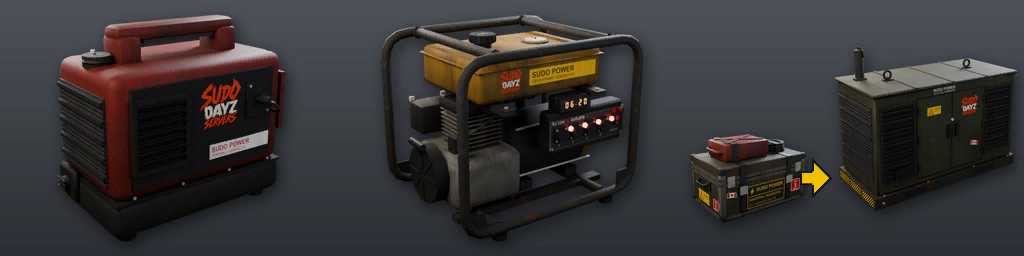
Fit a spark plug, fill the tank with gasoline from a jerry can or canister, then switch it on. The engine burns fuel by itself while running; every plugged device and every battery pack charging from it burns more. The screen shows the time left at the current draw. The Industrial Generator comes in a crate: place the crate to build it. Once built it cannot be picked up.
| Generator | Tank | Outlets | Engine | Full tank, no load |
|---|---|---|---|---|
| Portable Generator | 3 L | 2 | 20 W | 6 h |
| Open-Frame Generator | 9 L | 4 | 28 W | 12.9 h |
| Industrial Generator | 40 L | 4 | 50 W | 33.3 h |
Solar Panels
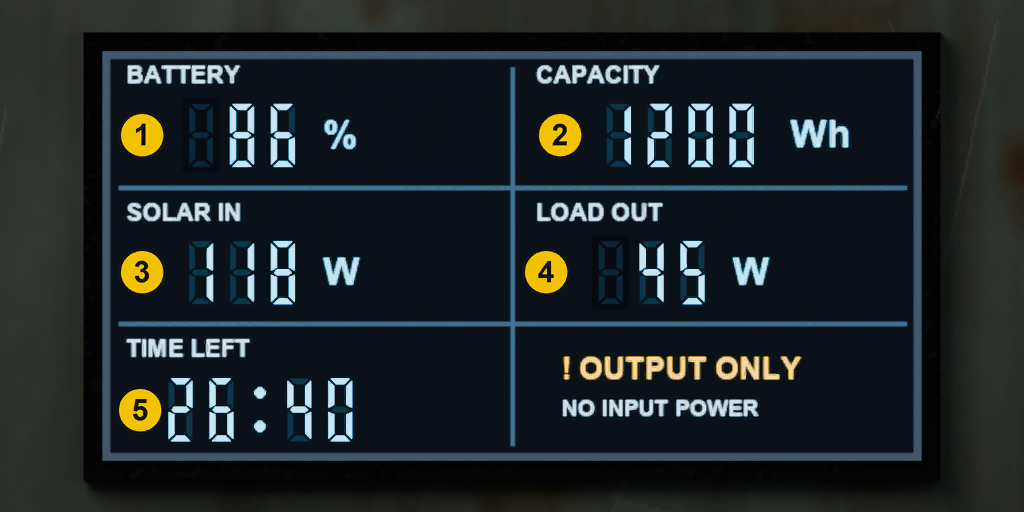
Panels need daylight and open sky; under a roof they stop. In daylight a panel runs its plugged devices for free and charges the car or truck batteries fitted in it. At night its devices run from those batteries. The screen shows battery charge, power in, power out and time left. Panels come as kits: place the kit to build the panel. Open the cabinet door to fit or swap batteries.
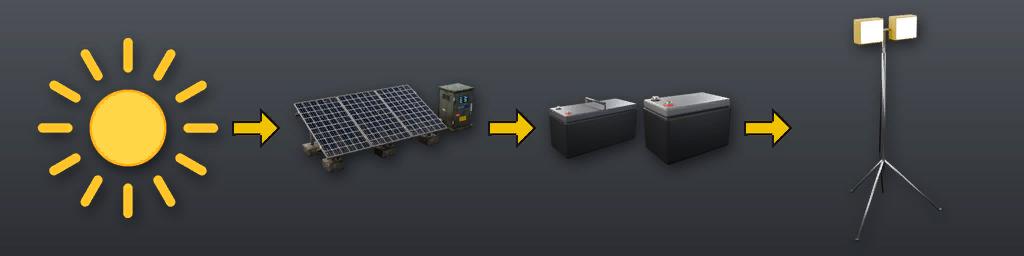
| Panel | Charge | Battery slots |
|---|---|---|
| Portable Solar Kit 120 W | 100 W | 1 |
| Ground-Mount Solar Array 800 W | 300 W | 2 |
| Industrial Solar Array 6 kW | 800 W | 4 |
| Solar panel | 200 W | 0 |
Batteries
Panels take car and truck batteries (not the Never Dies battery). Each one adds its capacity to the panel's CAPACITY field.
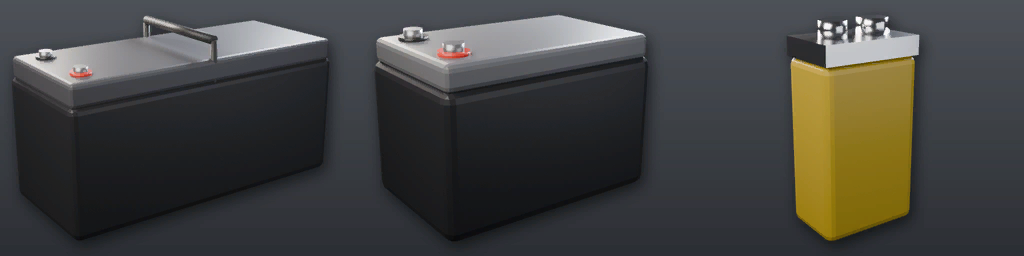
| Battery | Capacity | Runs a Spotlight |
|---|---|---|
| Truck Battery | 167 Wh | 11.9 h |
| Car Battery | 83 Wh | 6 h |
The brand batteries from the battery mod (Duracell, Ever Start, Kia, Subaru, Interstate) are not listed here; the in-game manual shows them.
Battery Packs
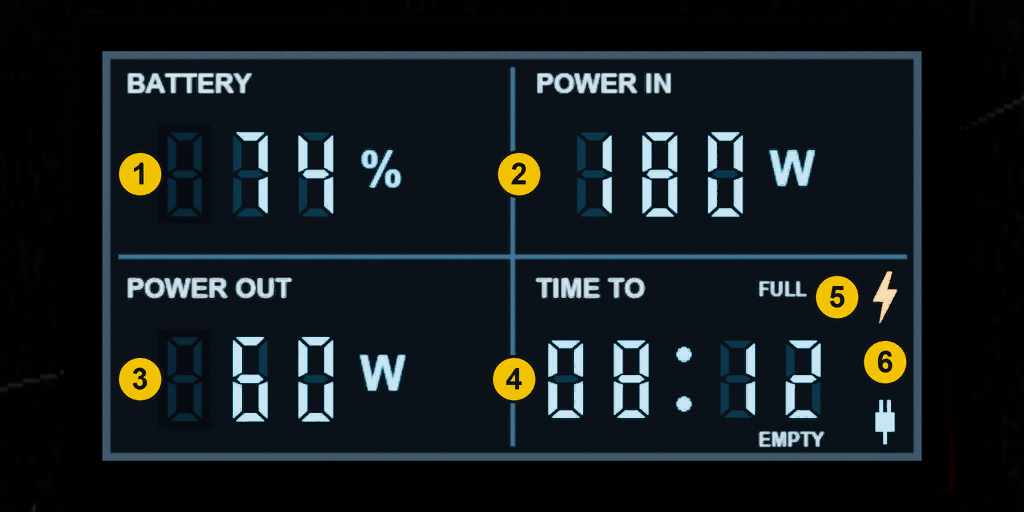
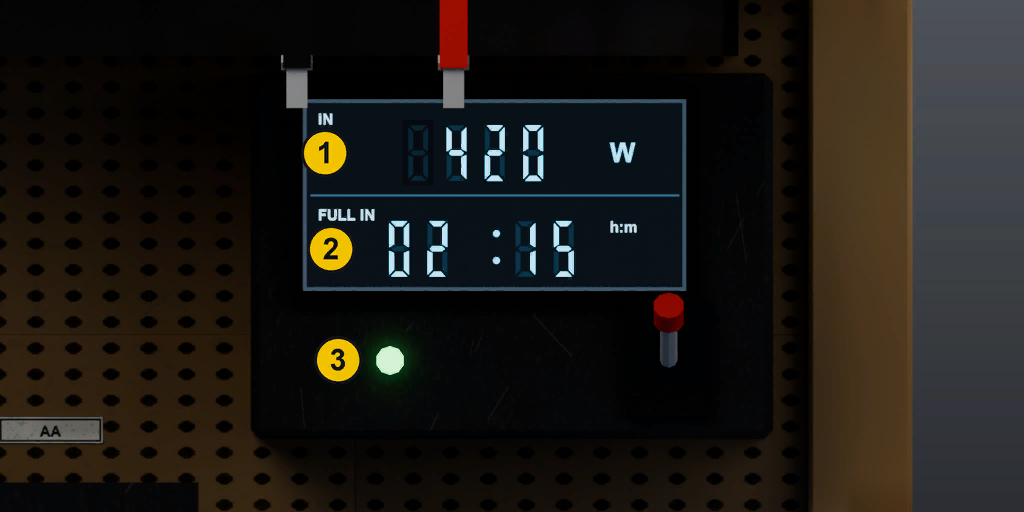
A battery pack stores power. Plug it into a generator, a solar panel or another pack and it charges while it has room; devices plugged into the pack use its charge first. The screen shows charge, power in, power out, and the time to full (bolt lit) or to empty (plug lit). The Wall Battery and the Grid Storage Cabinet come in crates: place the crate to set them up. Once placed they cannot be picked up.
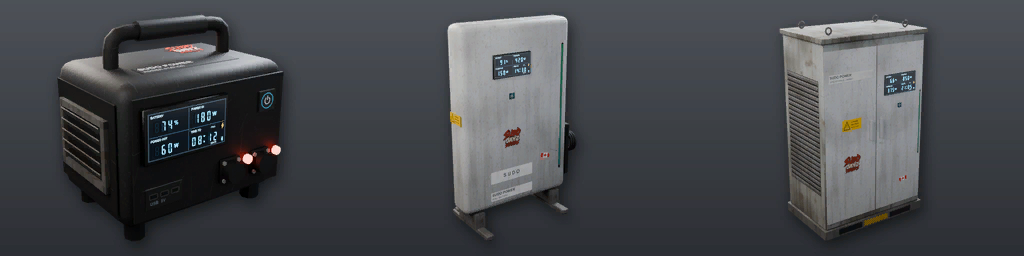
| Battery pack | Capacity | Runs a Spotlight | Charge | Cord |
|---|---|---|---|---|
| Portable Power Station 1.5 kWh | 83 Wh | 6 h | 50 W | 5 m |
| Wall Battery 13.5 kWh | 556 Wh | 39.7 h | 150 W | 8 m |
| Grid Storage Cabinet 60 kWh | 2,222 Wh | 158.7 h | 400 W | 12 m |
On this server packs charge from: generators, solar panels, other battery packs.
Solar panels charge packs only in daylight. From a solar panel, a pack charges no faster than the panel's own rate.
Charging Bench
The Charging Bench charges batteries while it has power. Plug it into a generator, battery pack or Spider Box and switch it on, then put batteries in their spots: each type has its own place, from truck and car batteries to helicopter batteries, 9V and AA. Each spot's light shows amber while charging and green when full. The screen shows the power the bench draws and the time until the slowest battery is full.
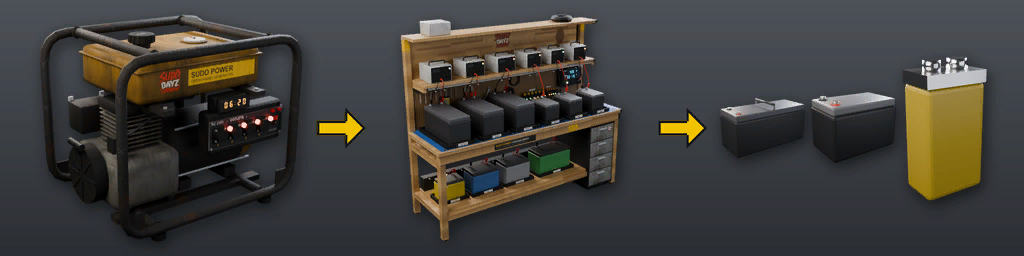
| Battery | Spots | Charge | Empty to full |
|---|---|---|---|
| Truck Battery | 3 | 1,000 W | 10 min |
| Car Battery | 3 | 1,000 W | 5 min |
| CZ Helicopter Battery | 1 | 1,000 W | 0.8 min |
| Helicopter Battery | 1 | 1,000 W | 0.8 min |
| Aircraft Battery | 1 | 1,000 W | 0.8 min |
| 40V Battery | 1 | 1,000 W | 2.5 min |
| 9V Battery | 6 | 100 W | 0.8 min |
| AA Battery | 4 | 100 W | 1.7 min |
The bench draws the charge rate of every battery it is charging plus 1 W on standby, so a full bench needs a strong source. A damaged bench charges more slowly. The never-empty battery is not accepted.
Storage: 1000 slots. Use Open on the bench to see it and Close when you are done; it closes itself after 10 minutes with nothing moved in or out. Closed storage is kept off the map, which keeps the server smooth.
Cables & Spider Box
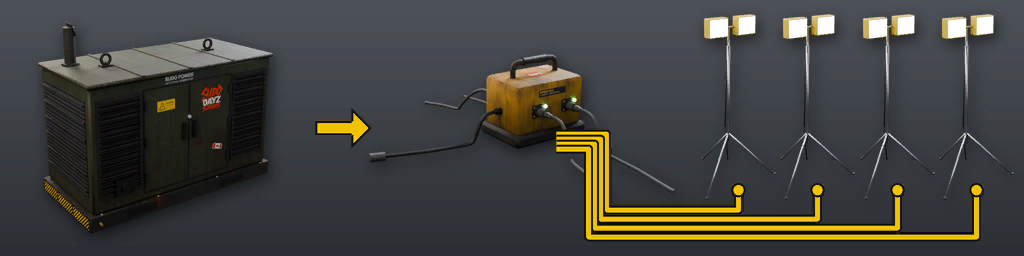
A cable reel carries power from one outlet to a device further away. The Spider Box adds four outlets; its heavy plug fits only the Industrial Generator, the Large Solar Array and the Grid Storage Cabinet.
Screens & Numbers
W is power as the screens show it; a Spotlight draws 14 W. Energy is what a tank, battery or pack holds. Time left = stored energy divided by what is drawn, so more devices means less time.
Troubleshooting
A device does not turn on? Check these in order:
• Is the device switched on, and is its power source switched on?
• Look at the outlet lamp: green means a plug is in, red means the outlet is free.
• Generator: spark plug fitted and fuel left? The display shows 00:00 when the tank is empty.
• Solar: panels need daylight and open sky. At night, devices run only from the batteries in the cabinet.
• Battery pack: is there charge left? Charge it from a generator or a solar panel.
• Too far away: every cord has a length. Move the device closer to its power source.
• Heavy plug: the Spider Box only plugs into the Industrial Generator, the Large Solar Array and the Grid Storage Cabinet.
• Can't place it: power items go inside your territory, and each territory has a limit per type.